Save the link. Pin the place.
Share a TikTok, a reel or any web page to Stashly and it lands in the right folder. Your photos become places on a map you can restyle. Free, no account, works offline.
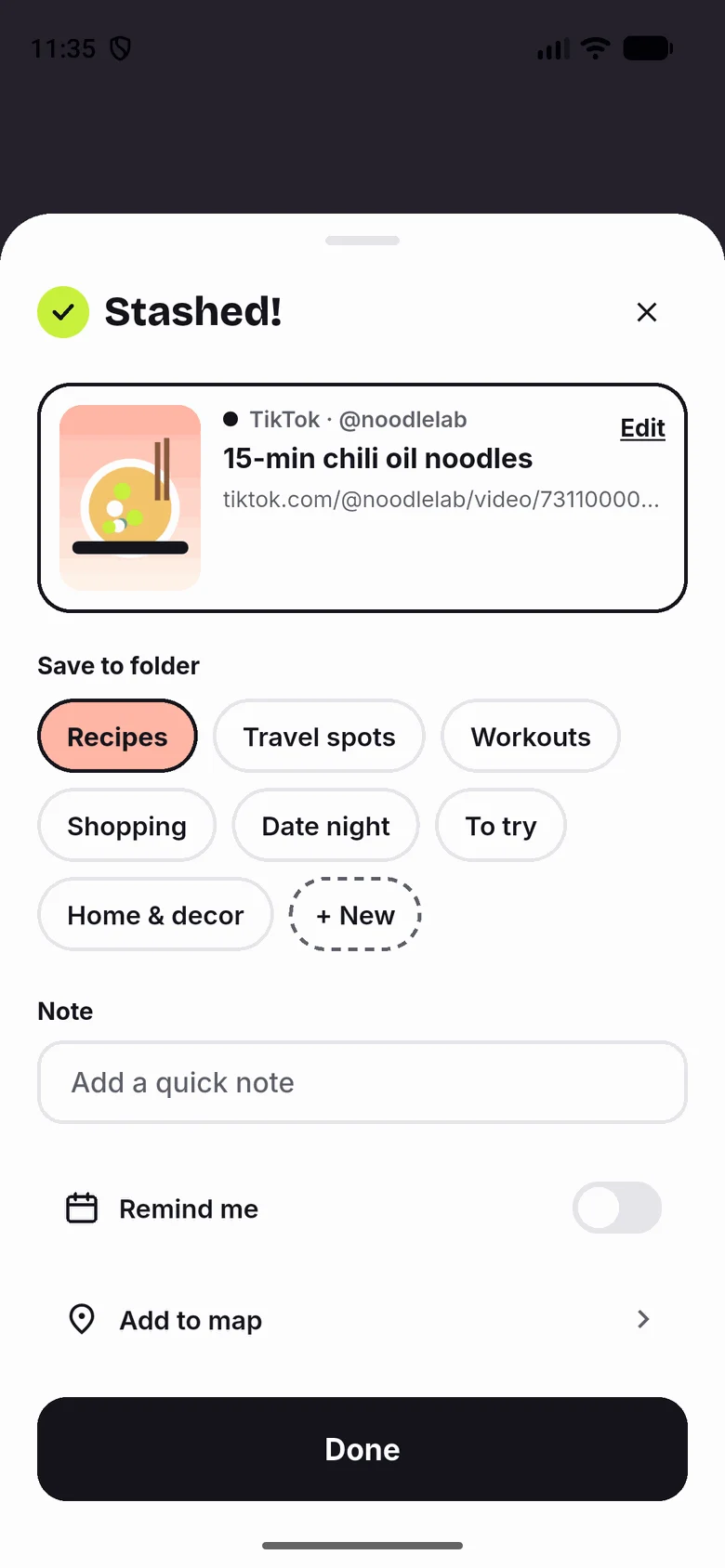
Save from any app in three taps
Stashly sits in your share sheet. It keeps the title and picture, guesses where the link came from and suggests a folder.
Tap Share
On a TikTok, an Instagram post, a YouTube video, a Reddit thread or any web page.
Choose Stashly
No need to open the app. Stashly appears right where you are.
Pick a folder and tap Done
Add a note or a reminder if you want to come back to it on the weekend.
- TikTok
- YouTube
- Messenger
- Any browser
Links that sort themselves
Make a smart rule once, like “anything that mentions Kyoto goes to Travel spots”, and new links file themselves.
- Folders with your own colours, icons and cover photos
- Browse by date, by app or on a calendar
- Reminders for the links you want to try later
- Recently deleted, so nothing goes missing by accident

 Recipes9 links

 Travel spots17 links · 6 places

 Pets4 links
 Date night5 links
2 sorted this week
Your photos already know where you’ve been
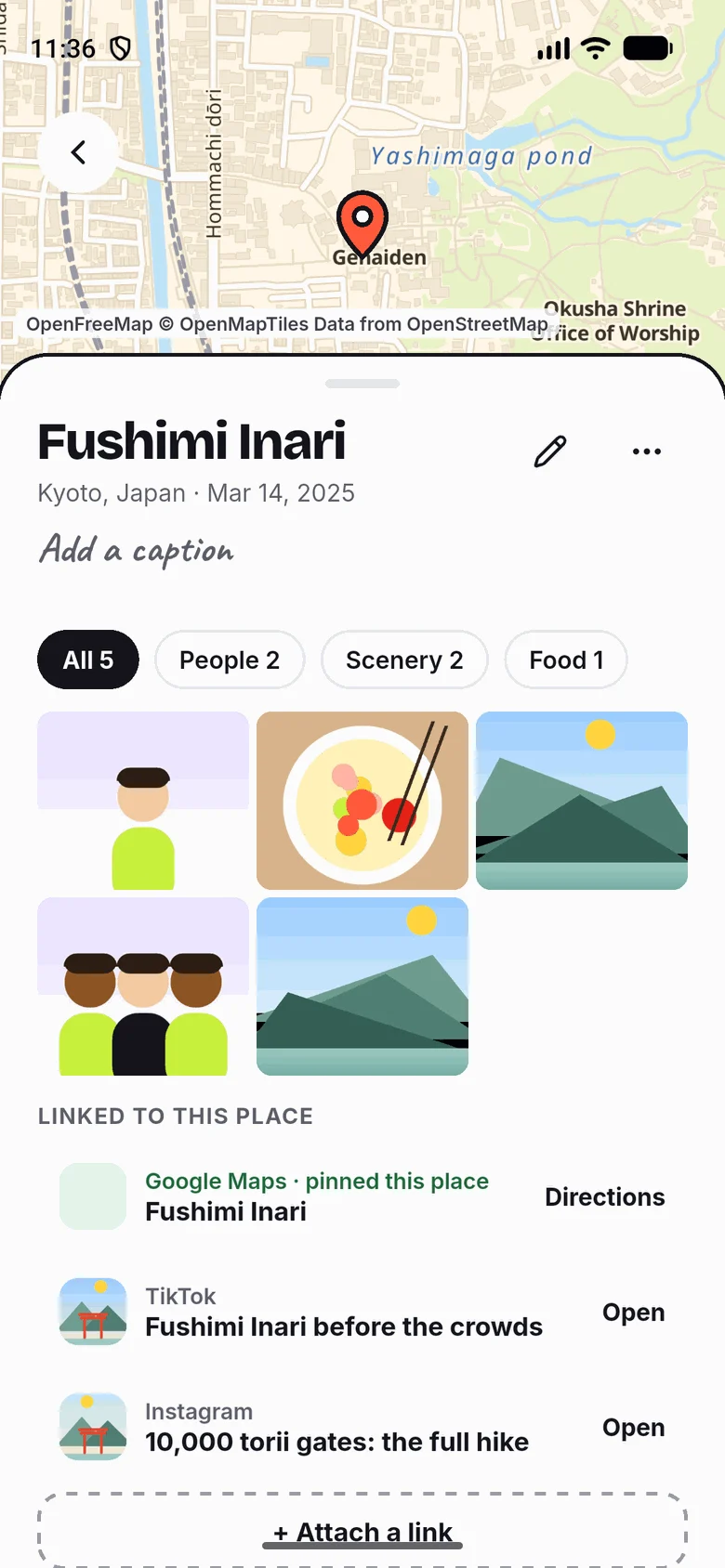
Stashly reads the location saved in your photos and groups them into places. Open a place to see its photos next to the links you saved for it.
- Paste a Google Maps, Waze or Apple Maps link and it becomes a pin
- Attach any saved link to a place, so that café from TikTok sits next to your photos from the day you went
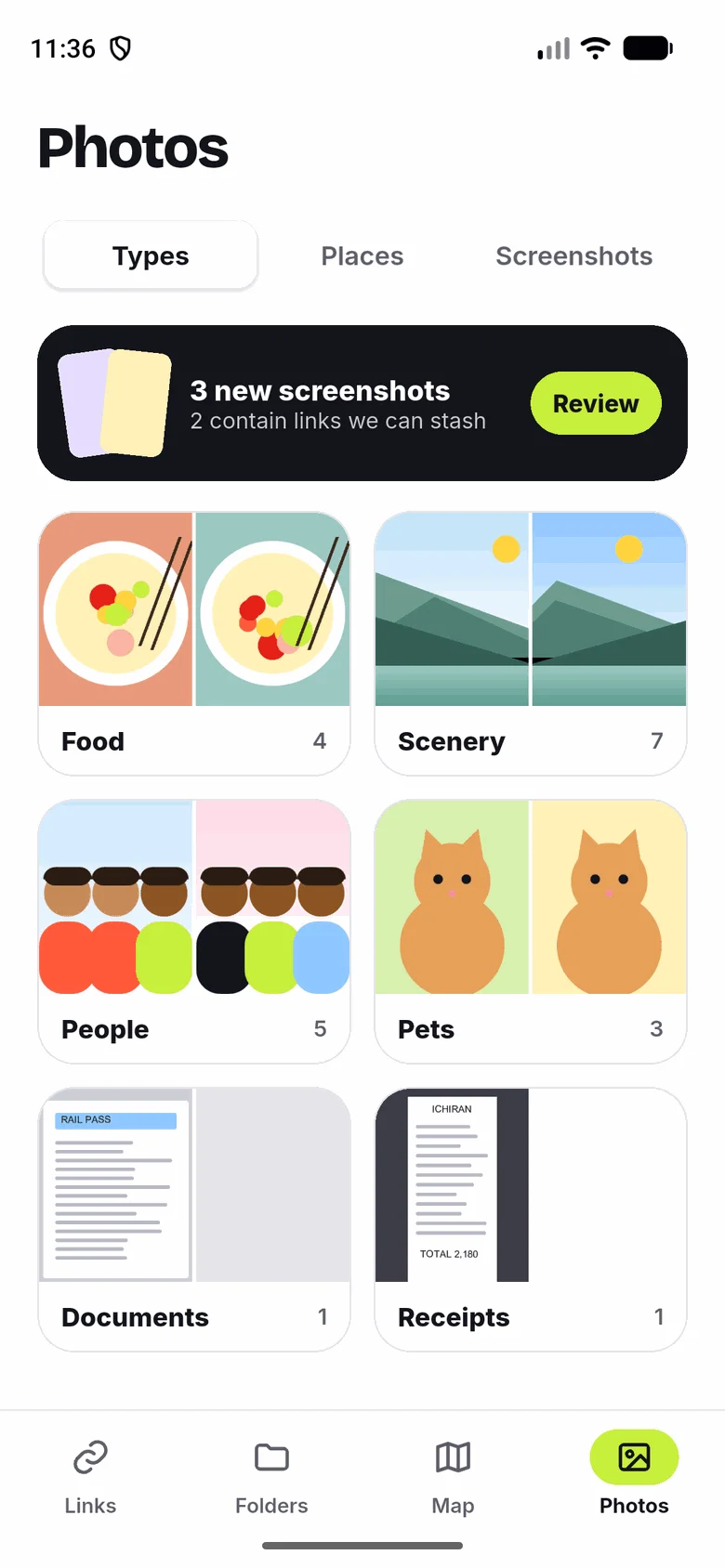
- Photos sorted into food, scenery, people, pets, documents and receipts
- A screenshot inbox that spots the links inside your screenshots
Then turn your trip into a poster
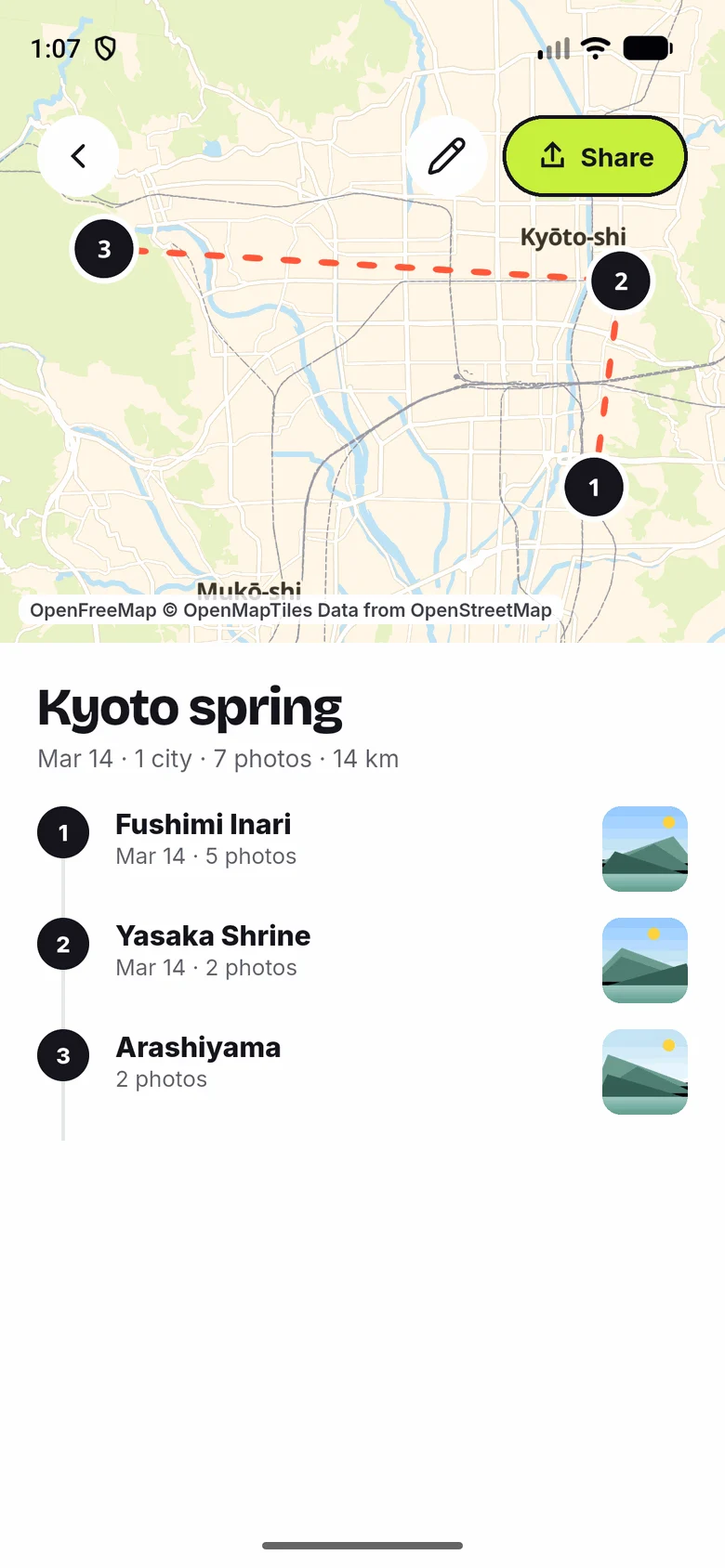
Restyle water, parks, roads and labels one layer at a time. Add stickers and fog over the places you haven’t been yet. Trips draw your route from stop to stop.
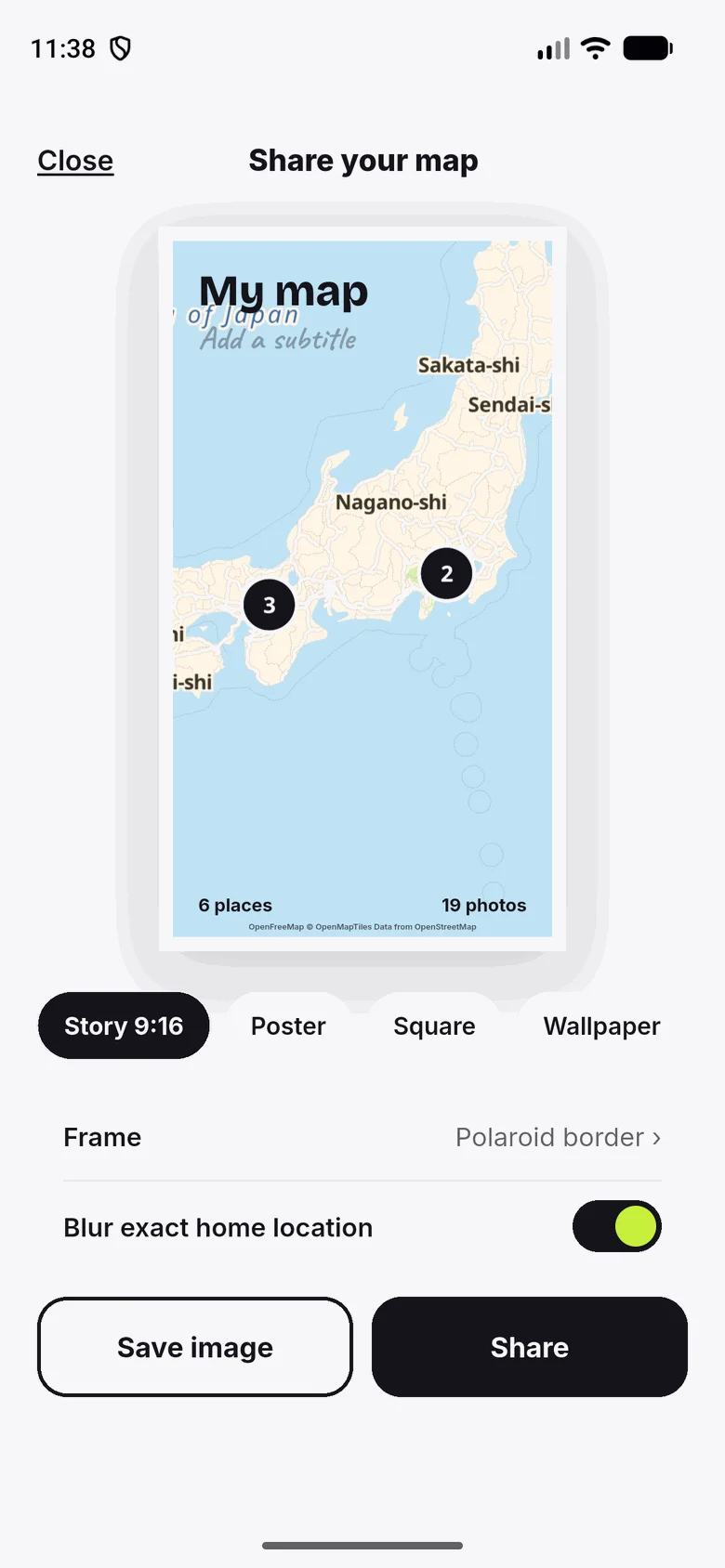
- Export as a story, poster, square or wallpaper
- Blur your exact home location before you share
- Swap theme codes with friends
Your stash stays on your phone
No account
Open the app and start saving. There is nothing to sign up for.
Photos never leave your phone
Photo types and screenshot text are worked out on the device.
No ads, no tracking
Stashly has no servers of its own. The privacy policy lists every map and search service the app talks to.
Works offline
Download map areas for a trip, and export a backup file whenever you like.

Get Stashly
Free on Android. Coming soon to iPhone.